What Is an Agentic Workflow? A Guide in Plain English

By
Jan Meinecke
・
・
11
Min
What Is an Agentic Workflow? A Guide in Plain English
By
jan Meinecke
11
Min
An agentic workflow is an automation where you describe the outcome you want in plain English and an AI agent figures out how to build it, writes the code, connects the tools, and fixes its own errors when something breaks. Instead of wiring up every step yourself, you hand the "how" to the agent. This guide explains what an agentic workflow is, how it differs from traditional automation, what one looks like in practice, and when to use each.
It's the biggest shift in automation in years, and the reason a lot of people who gave up on building workflows are suddenly able to.
Watch: the full story, including a live build, is in our video I Switched From n8n to Agentic Workflows.
What is an agentic workflow?
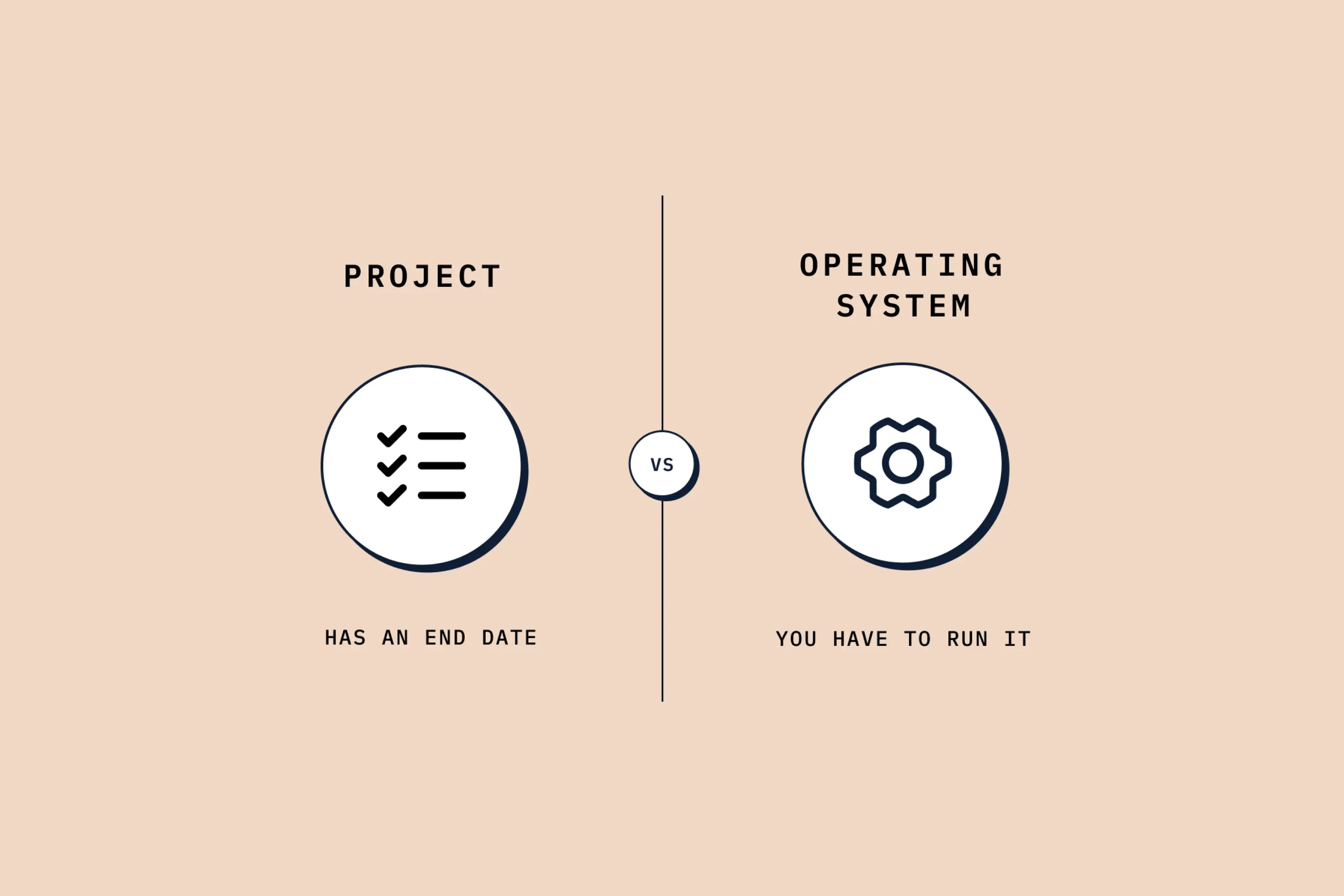
The clearest way to understand an agentic workflow is to separate two things: the what and the how.
Whether you build automation the traditional way or the agentic way, you always start with the same step: the what. What's the process? What do you want to happen? That thinking is on you either way.
The difference is the how. With traditional automation, you are responsible for every step of the how: which tool to call first, how to pass data between them, what to do when something fails. With an agentic workflow, you hand the how to an AI agent. You define the outcome, and the agent works out the steps, connects to your tools, discovers how they're structured, decides the order things happen in, and corrects itself when it hits an error.
This maps onto a distinction Anthropic draws in its own engineering work. A traditional automation is a workflow where the steps are fixed in advance; an agent is a system that decides its own steps and uses tools to reach a goal. An agentic workflow puts that agent in charge of the building.
Agentic workflows vs traditional automation
To see why this matters, picture a real automation. Publishing a weekly workshop might involve creating the event, setting up the video call, starting the live stream, connecting everything, and saving the details back to your notes. Simple logic. In a traditional tool like n8n, Make, or Zapier, that simple logic can still become a 24-step build: two dozen nodes you have to figure out, connect, and test, plus the unexpected problems along the way, image hosting, API quirks, data formatting between platforms.
That is exactly where most people quit. A non-technical person sits down to automate something, gets stuck around step three, spends four hours googling error messages, and realises they could have done the task by hand ten times over. The barrier to building is just too high. And even if you push through, you own the debugging forever: one API changes upstream and the whole thing breaks.
An agentic workflow removes that barrier. You describe the outcome in a sentence or two, and the agent does the wiring. When something fails, it reads the error and fixes its own code instead of leaving you to trace it node by node. None of this means traditional tools are bad, they're brilliant, and learning them teaches you to think in systems. It means the building work that used to stop people is now handled for you.
What an agentic workflow looks like in practice
Here's a concrete example: invoicing. Say you have invoice data in a spreadsheet and you want a PDF generated for each one, attached, and the status updated, the kind of repetitive job that's perfect to automate.
In an agentic workflow built with Claude Code, you don't build any of that. You write a short prompt describing the outcome: for each invoice marked "create", generate an HTML invoice, export it as a PDF, upload it back, and set the status to "ready to send."
You switch the agent into plan mode, and it researches first, connecting to your data and discovering the structure itself rather than making you map out every field.
It then produces a full plan, the approach, the files, the libraries, the steps, from that one description. You review it, approve it, and watch it build: creating files, working through its own to-do list, and, when it hits an error with the PDF library, diagnosing the problem and fixing its own code without being told. The kind of debugging that would eat hours in a traditional tool happens on its own.
The last step is what makes it a workflow rather than a one-off. You ask the agent to save the process as a reusable skill. After that, a single command re-runs the whole thing on a new batch in seconds. We walk through the numbers behind this kind of shift in how agentic workflows change the math for revenue teams.
When to use agentic workflows (and when traditional wins)
Agentic workflows are not a replacement for everything. The honest answer is that you'll use both, and the skill is knowing which to reach for.
Reach for an agentic workflow when there's a human in the loop, when you need speed, when you're exploring, prototyping, or not yet sure of the right approach. A weekly newsletter draft is a good example: the agent pulls the pieces together and gets you 80% there in minutes, but you're still reviewing, editing, and deciding. You're working with the agent, not setting it loose.
Reach for traditional automation when a process must run on its own, every time, exactly the same, with no one watching. A website form that saves each submission to your CRM and fires a confirmation email needs to work at 3am whether you're asleep or on holiday. That production-scale, unattended consistency is precisely what n8n, Make, and Zapier were built for, and their visual nature makes them easier to hand to a new teammate.
A pattern worth knowing: many people now use an agentic workflow to figure out the solution first, letting the agent explore the APIs and test approaches, then rebuild the final, always-on version in a traditional tool. It's not one or the other. Deciding which fits a given job is part of knowing where you sit on the AI skills ladder.
How to get started with agentic workflows
Getting started is more accessible than the term suggests. You need an agent that can act, most people start with Claude Code, plus access to whatever tools you want it to connect to. There's a little setup at the front, but the learning curve is short: if you can clearly describe what you want, the agent guides you through the rest. Our tutorial on connecting any API to Claude Code is a practical first build.
One unexpected benefit: plan mode is a surprisingly good teacher. Watching the agent lay out which tools it will use and why, and being able to question it, means you build real technical understanding while you work, without becoming a developer. For business professionals, that compounding knowledge is half the value.
The bigger picture is that agentic workflows are part of a broader move toward agentic AI that the industry is treating as the next frontier. The teams that benefit first will be the ones who learn to brief an agent well and know when to use one.
Start building agentic workflows
An agentic workflow is simply automation where you own the what and the agent owns the how. Start with one repetitive, well-defined task, describe the outcome, let the agent build and fix it, and save the result as a skill you can re-run. Keep your always-on, unattended processes in traditional tools, and use agentic workflows for the speed-and-exploration work in between.
If you want your team building agentic workflows around your own processes, our hands-on AI automation training takes operators from their first prompt to automations that save hours every week.
FREE LIVE SESSIONS
What’s the best way to learn AI?
With 9x Live! Join a free session and learn the skills that’ll get you ahead of the 99%.
What to do next
1
Start learning free
Take our AI starter course and apply the latest technologies to your first use case. Completely free. Get started today.
2
Learn it live
Join a free weekly 9x Live session, watch work get automated in real time, and get your questions answered by leading educators. Sign up for the next session.
3
Watch our videos on YouTube
With one of the fastest growing channels in the industry, hundreds of thousands of people watch our tutorials every week. Subscribe here so you never miss a video.

AI
An agentic workflow is an automation where you describe the outcome you want in plain English and an AI agent figures out how to build it, writes the code, connects the tools, and fixes its own errors when something breaks. Instead of wiring up every step yourself, you hand the "how" to the agent. This guide explains what an agentic workflow is, how it differs from traditional automation, what one looks like in practice, and when to use each.
It's the biggest shift in automation in years, and the reason a lot of people who gave up on building workflows are suddenly able to.
Watch: the full story, including a live build, is in our video I Switched From n8n to Agentic Workflows.
What is an agentic workflow?
The clearest way to understand an agentic workflow is to separate two things: the what and the how.
Whether you build automation the traditional way or the agentic way, you always start with the same step: the what. What's the process? What do you want to happen? That thinking is on you either way.
The difference is the how. With traditional automation, you are responsible for every step of the how: which tool to call first, how to pass data between them, what to do when something fails. With an agentic workflow, you hand the how to an AI agent. You define the outcome, and the agent works out the steps, connects to your tools, discovers how they're structured, decides the order things happen in, and corrects itself when it hits an error.
This maps onto a distinction Anthropic draws in its own engineering work. A traditional automation is a workflow where the steps are fixed in advance; an agent is a system that decides its own steps and uses tools to reach a goal. An agentic workflow puts that agent in charge of the building.
Agentic workflows vs traditional automation
To see why this matters, picture a real automation. Publishing a weekly workshop might involve creating the event, setting up the video call, starting the live stream, connecting everything, and saving the details back to your notes. Simple logic. In a traditional tool like n8n, Make, or Zapier, that simple logic can still become a 24-step build: two dozen nodes you have to figure out, connect, and test, plus the unexpected problems along the way, image hosting, API quirks, data formatting between platforms.
That is exactly where most people quit. A non-technical person sits down to automate something, gets stuck around step three, spends four hours googling error messages, and realises they could have done the task by hand ten times over. The barrier to building is just too high. And even if you push through, you own the debugging forever: one API changes upstream and the whole thing breaks.
An agentic workflow removes that barrier. You describe the outcome in a sentence or two, and the agent does the wiring. When something fails, it reads the error and fixes its own code instead of leaving you to trace it node by node. None of this means traditional tools are bad, they're brilliant, and learning them teaches you to think in systems. It means the building work that used to stop people is now handled for you.
What an agentic workflow looks like in practice
Here's a concrete example: invoicing. Say you have invoice data in a spreadsheet and you want a PDF generated for each one, attached, and the status updated, the kind of repetitive job that's perfect to automate.
In an agentic workflow built with Claude Code, you don't build any of that. You write a short prompt describing the outcome: for each invoice marked "create", generate an HTML invoice, export it as a PDF, upload it back, and set the status to "ready to send."
You switch the agent into plan mode, and it researches first, connecting to your data and discovering the structure itself rather than making you map out every field.
It then produces a full plan, the approach, the files, the libraries, the steps, from that one description. You review it, approve it, and watch it build: creating files, working through its own to-do list, and, when it hits an error with the PDF library, diagnosing the problem and fixing its own code without being told. The kind of debugging that would eat hours in a traditional tool happens on its own.
The last step is what makes it a workflow rather than a one-off. You ask the agent to save the process as a reusable skill. After that, a single command re-runs the whole thing on a new batch in seconds. We walk through the numbers behind this kind of shift in how agentic workflows change the math for revenue teams.
When to use agentic workflows (and when traditional wins)
Agentic workflows are not a replacement for everything. The honest answer is that you'll use both, and the skill is knowing which to reach for.
Reach for an agentic workflow when there's a human in the loop, when you need speed, when you're exploring, prototyping, or not yet sure of the right approach. A weekly newsletter draft is a good example: the agent pulls the pieces together and gets you 80% there in minutes, but you're still reviewing, editing, and deciding. You're working with the agent, not setting it loose.
Reach for traditional automation when a process must run on its own, every time, exactly the same, with no one watching. A website form that saves each submission to your CRM and fires a confirmation email needs to work at 3am whether you're asleep or on holiday. That production-scale, unattended consistency is precisely what n8n, Make, and Zapier were built for, and their visual nature makes them easier to hand to a new teammate.
A pattern worth knowing: many people now use an agentic workflow to figure out the solution first, letting the agent explore the APIs and test approaches, then rebuild the final, always-on version in a traditional tool. It's not one or the other. Deciding which fits a given job is part of knowing where you sit on the AI skills ladder.
How to get started with agentic workflows
Getting started is more accessible than the term suggests. You need an agent that can act, most people start with Claude Code, plus access to whatever tools you want it to connect to. There's a little setup at the front, but the learning curve is short: if you can clearly describe what you want, the agent guides you through the rest. Our tutorial on connecting any API to Claude Code is a practical first build.
One unexpected benefit: plan mode is a surprisingly good teacher. Watching the agent lay out which tools it will use and why, and being able to question it, means you build real technical understanding while you work, without becoming a developer. For business professionals, that compounding knowledge is half the value.
The bigger picture is that agentic workflows are part of a broader move toward agentic AI that the industry is treating as the next frontier. The teams that benefit first will be the ones who learn to brief an agent well and know when to use one.
Start building agentic workflows
An agentic workflow is simply automation where you own the what and the agent owns the how. Start with one repetitive, well-defined task, describe the outcome, let the agent build and fix it, and save the result as a skill you can re-run. Keep your always-on, unattended processes in traditional tools, and use agentic workflows for the speed-and-exploration work in between.
If you want your team building agentic workflows around your own processes, our hands-on AI automation training takes operators from their first prompt to automations that save hours every week.
FREE LIVE SESSIONS
What’s the best way to learn AI?
With 9x Live! Join a free session and learn the skills that’ll get you ahead of the 99%.
What to do next
1
Start learning free
Take our AI starter course and apply the latest technologies to your first use case. Completely free. Get started today.
2
Learn it live
Join a free weekly 9x Live session, watch work get automated in real time, and get your questions answered by leading educators. Sign up for the next session.
3
Watch our videos on YouTube
With one of the fastest growing channels in the industry, hundreds of thousands of people watch our tutorials every week. Subscribe here so you never miss a video.
AI
read next
Running AI Enablement Internally? Here are Three Things to Consider
AI enablement looks like a training project. It isn't. Skill levels, tools and functions all move at once. Here's what running it internally really takes.

What is Claude Slides, and How to Use Them (Guide for Beginners)
How to use Claude Slides to build an on-brand deck from a one-line brief, edit and export it, and where it beats PowerPoint and Google Slides, and where it doesn't.
read next
Running AI Enablement Internally? Here are Three Things to Consider
AI enablement looks like a training project. It isn't. Skill levels, tools and functions all move at once. Here's what running it internally really takes.
What is Claude Slides, and How to Use Them (Guide for Beginners)
How to use Claude Slides to build an on-brand deck from a one-line brief, edit and export it, and where it beats PowerPoint and Google Slides, and where it doesn't.
Your new home for learning AI.
Weekly live workshops, on-demand courses, and plug-and-play downloadables. Get started for free today.
Your new home for learning AI.
Weekly live workshops, on-demand courses, and plug-and-play downloadables. Get started for free today.
Your new home for learning AI.
Weekly live workshops, on-demand courses, and plug-and-play downloadables. Get started for free today.