How to Find Automation Opportunities

By
Alexandre Kantjas
・
・
2
Min
Read
How to Find Automation Opportunities
By
Alexandre Kantjas
2
Min
Read
"What should I automate?"—This is a question we often encounter, and it's not an easy one to answer. Automation can be a potent tool for efficiency, yet the plethora of processes within a company can make the decision overwhelming. Simply jumping in and automating random tasks can backfire, leading to loss of time and resources. That's why having a systematic approach to evaluating automation opportunities is essential.
If you’ve been assigned the task to prioritize automation initiatives, here’s a simple approach to get started.
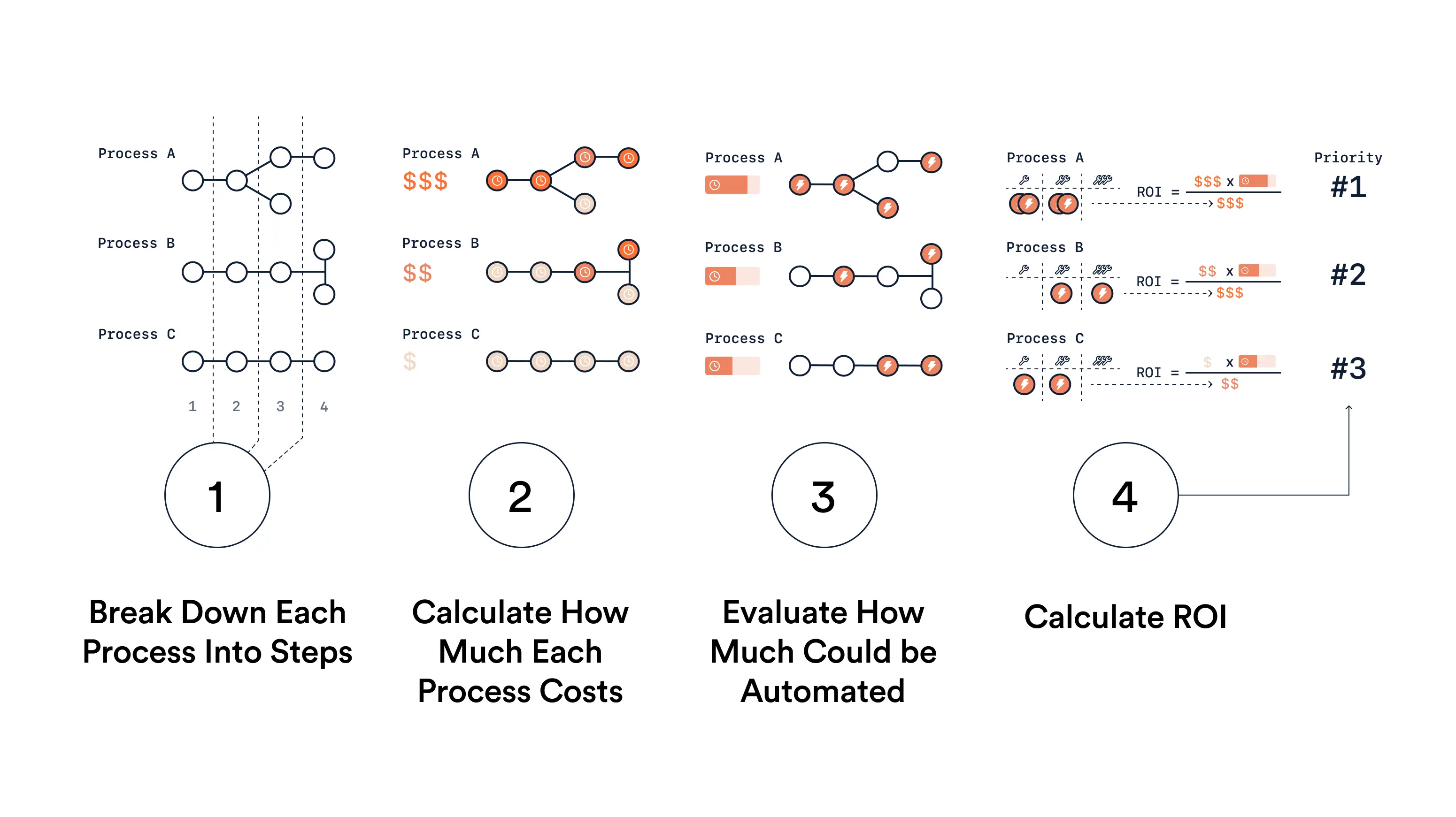
Step 1: Break Down Each Process Into Steps
Before you can evaluate what to automate, you need to have a clear understanding of the existing processes. Outline each process in your organization by breaking it down into individual steps. Create a flowchart or use tools like process mapping software to get an aerial view of the operations.
What to do
Identify the processes you want to evaluate.
List all steps involved in the process.
Identify who is responsible for each step.
List the tools or systems that are required to complete the process.
Document any dependencies between steps.
Step 2: Calculate How Much Each Process Costs
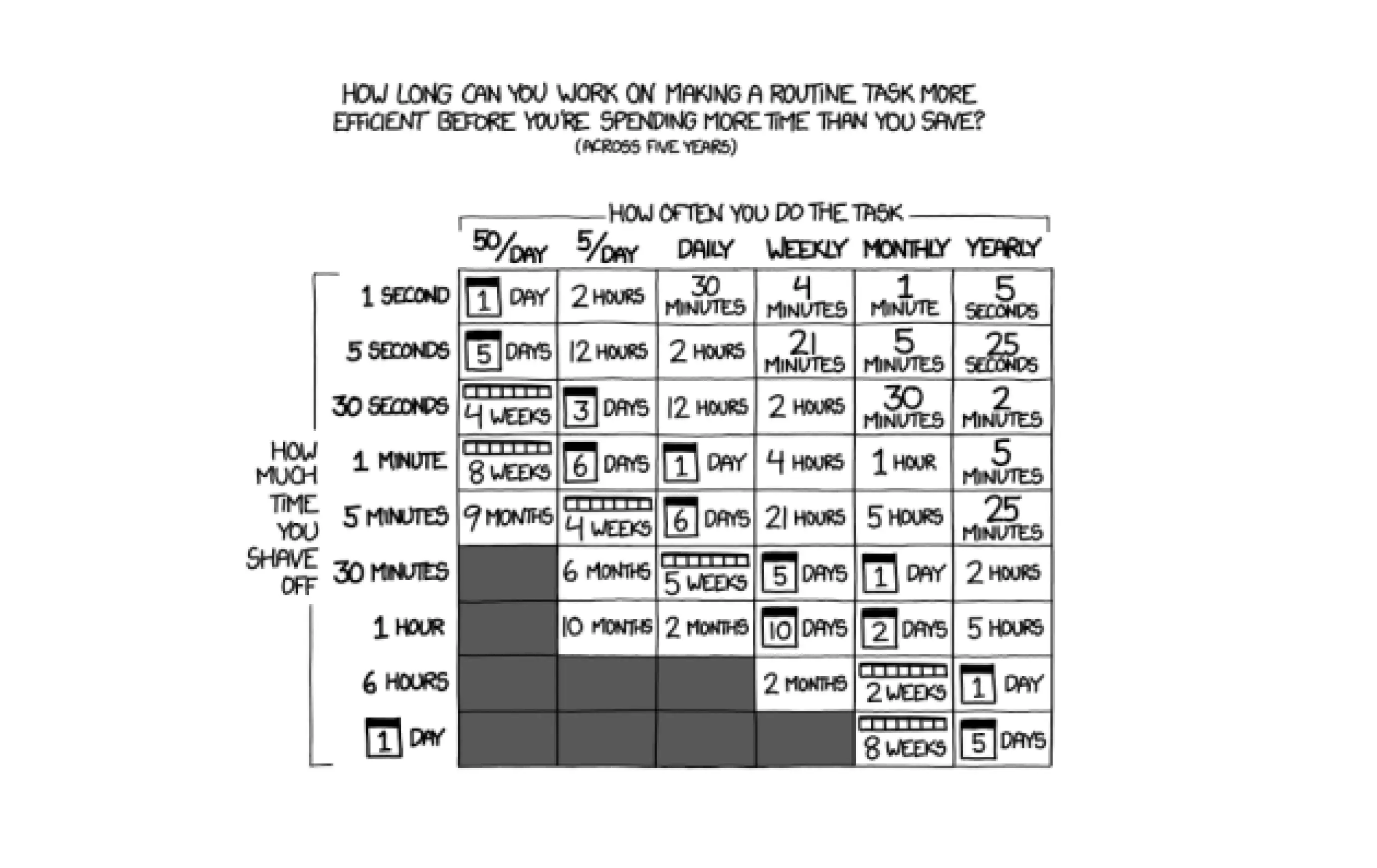
After outlining all processes, the next step is to evaluate how much each costs. For this example we’ll take time as the unit, but you can alternatively calculate a financial estimation. Collect data on the time it takes to complete each step and sum it up to get the total time spent on that process once. Then multiply that number by the number of times this process occurs monthly. Express your result in the same units so you can compare processes with one another.
What to Do
Enter the time to complete the process once
Enter the frequency and period (e.g. 10 times a week)
Normalize the outcome (e.g express the result in hours per month)
Step 3: Evaluate How Much Could be Automated
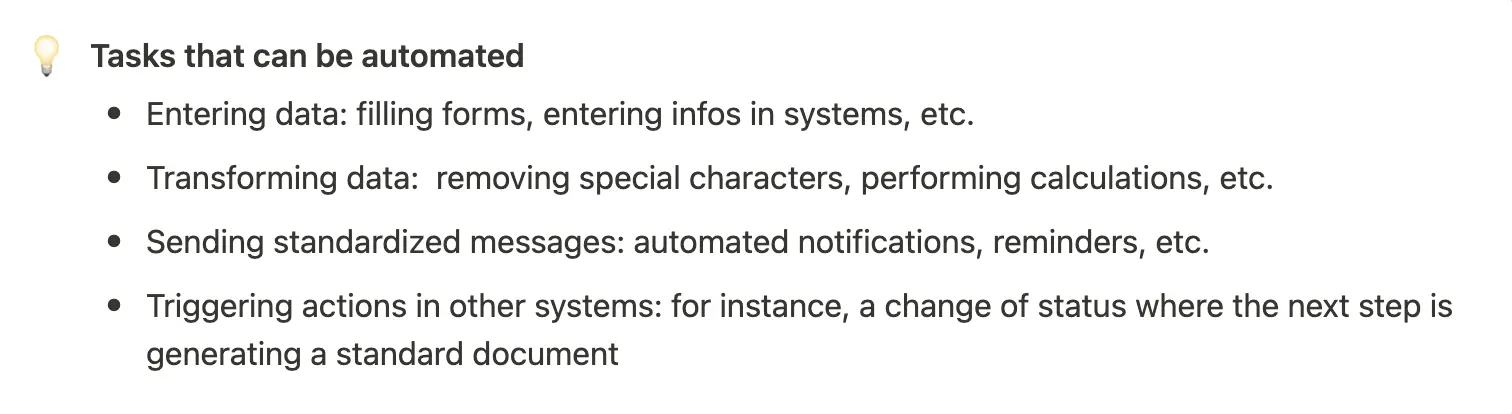
Now that you have the process details and time metrics, evaluate the automation potential. Go through the steps and identify tasks that are repetitive and predictable. These are prime candidates for automation.
What to do
Estimate the percentage of the process time that would be reduced to zero once these tasks are automated
Multiply that percentage with the outcome of step 2 to derive total time savings.
Step 4: Calculate ROI
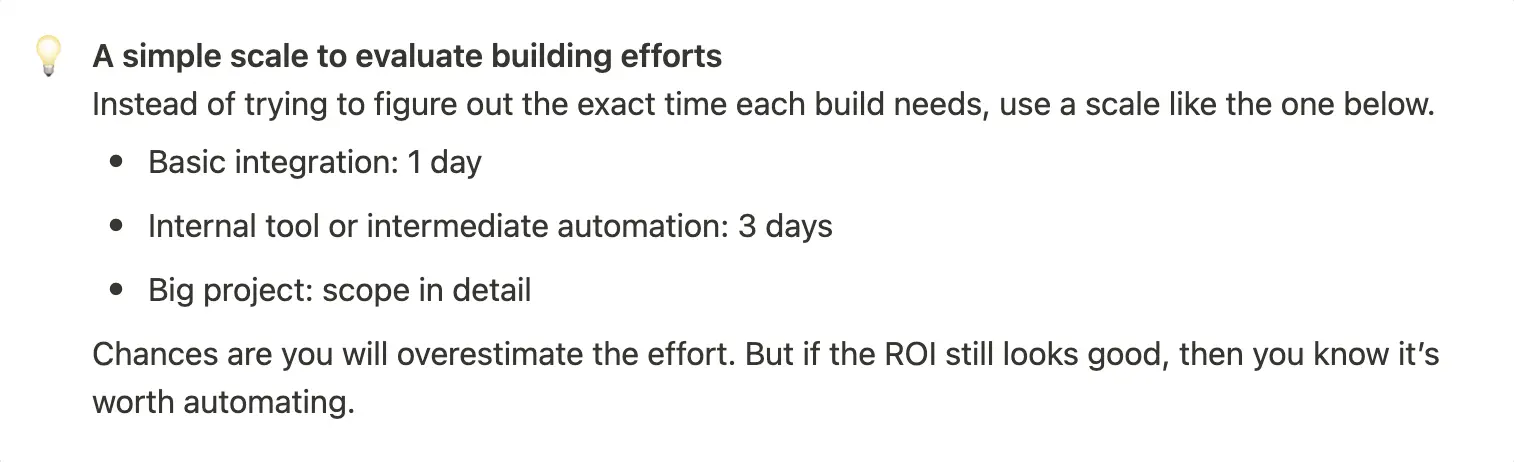
Finally, determine the expected ROI of building the automation. You'll need to weigh the time saved against the time and resources needed to implement the automation.
What to do
Assign a level of effort to each automation project
Translate each level of effort into hours (or financial costs)
Calculate the ROI against time savings you got in the previous step
And that’s it! You should now have a clear comparison of every automation opportunity, ranked by ROI.
Tweak this process to match your reality
With this step-by-step guide, you can systematically evaluate each process in your organization and make informed decisions. In some cases, it might make sense for you to adapt it to the context of what you are trying to achieve and make some changes to it. That’s fine!
Just keep in mind that for it to continue to work - the same unit of comparison should apply to all processes and be used in the ROI calculation. Other than that, you’re good to go!
Happy automating!
FREE LIVE SESSIONS
What’s the best way to learn AI?
With 9x Live! Join a free session and learn the skills that’ll get you ahead of the 99%.
What to do next
1
Start learning free
Take our AI starter course and apply the latest technologies to your first use case. Completely free. Get started today.
2
Learn it live
Join a free weekly 9x Live session, watch work get automated in real time, and get your questions answered by leading educators. Sign up for the next session.
3
Watch our videos on YouTube
With one of the fastest growing channels in the industry, hundreds of thousands of people watch our tutorials every week. Subscribe here so you never miss a video.

Operations
"What should I automate?"—This is a question we often encounter, and it's not an easy one to answer. Automation can be a potent tool for efficiency, yet the plethora of processes within a company can make the decision overwhelming. Simply jumping in and automating random tasks can backfire, leading to loss of time and resources. That's why having a systematic approach to evaluating automation opportunities is essential.
If you’ve been assigned the task to prioritize automation initiatives, here’s a simple approach to get started.
Step 1: Break Down Each Process Into Steps
Before you can evaluate what to automate, you need to have a clear understanding of the existing processes. Outline each process in your organization by breaking it down into individual steps. Create a flowchart or use tools like process mapping software to get an aerial view of the operations.
What to do
Identify the processes you want to evaluate.
List all steps involved in the process.
Identify who is responsible for each step.
List the tools or systems that are required to complete the process.
Document any dependencies between steps.
Step 2: Calculate How Much Each Process Costs
After outlining all processes, the next step is to evaluate how much each costs. For this example we’ll take time as the unit, but you can alternatively calculate a financial estimation. Collect data on the time it takes to complete each step and sum it up to get the total time spent on that process once. Then multiply that number by the number of times this process occurs monthly. Express your result in the same units so you can compare processes with one another.
What to Do
Enter the time to complete the process once
Enter the frequency and period (e.g. 10 times a week)
Normalize the outcome (e.g express the result in hours per month)
Step 3: Evaluate How Much Could be Automated
Now that you have the process details and time metrics, evaluate the automation potential. Go through the steps and identify tasks that are repetitive and predictable. These are prime candidates for automation.
What to do
Estimate the percentage of the process time that would be reduced to zero once these tasks are automated
Multiply that percentage with the outcome of step 2 to derive total time savings.
Step 4: Calculate ROI
Finally, determine the expected ROI of building the automation. You'll need to weigh the time saved against the time and resources needed to implement the automation.
What to do
Assign a level of effort to each automation project
Translate each level of effort into hours (or financial costs)
Calculate the ROI against time savings you got in the previous step
And that’s it! You should now have a clear comparison of every automation opportunity, ranked by ROI.
Tweak this process to match your reality
With this step-by-step guide, you can systematically evaluate each process in your organization and make informed decisions. In some cases, it might make sense for you to adapt it to the context of what you are trying to achieve and make some changes to it. That’s fine!
Just keep in mind that for it to continue to work - the same unit of comparison should apply to all processes and be used in the ROI calculation. Other than that, you’re good to go!
Happy automating!
FREE LIVE SESSIONS
What’s the best way to learn AI?
With 9x Live! Join a free session and learn the skills that’ll get you ahead of the 99%.
What to do next
1
Start learning free
Take our AI starter course and apply the latest technologies to your first use case. Completely free. Get started today.
2
Learn it live
Join a free weekly 9x Live session, watch work get automated in real time, and get your questions answered by leading educators. Sign up for the next session.
3
Watch our videos on YouTube
With one of the fastest growing channels in the industry, hundreds of thousands of people watch our tutorials every week. Subscribe here so you never miss a video.
Operations
read next

How to Build a Self-Improving AI Ad Creative System
A step-by-step guide to a self-improving AI ad creative system that researches, makes, launches and learns from its own ads, with the tools and real costs.

How to Use the Meta Ad Library for Competitor Research
The Meta ads library shows every ad your competitors run. Here's how to search it yourself, and how to have ChatGPT Work do the whole job for you.
read next
How to Build a Self-Improving AI Ad Creative System
A step-by-step guide to a self-improving AI ad creative system that researches, makes, launches and learns from its own ads, with the tools and real costs.
How to Use the Meta Ad Library for Competitor Research
The Meta ads library shows every ad your competitors run. Here's how to search it yourself, and how to have ChatGPT Work do the whole job for you.
Your new home for learning AI.
Weekly live workshops, on-demand courses, and plug-and-play downloadables. Get started for free today.
Your new home for learning AI.
Weekly live workshops, on-demand courses, and plug-and-play downloadables. Get started for free today.
Your new home for learning AI.
Weekly live workshops, on-demand courses, and plug-and-play downloadables. Get started for free today.