Running AI Enablement Internally? Here are Three Things to Consider

By
Alexandre Kantjas
・
・
5
Min
Read

Running AI Enablement Internally? Here are Three Things to Consider
By
Alexandre Kantjas
5
Min
Read
"We'll run AI enablement internally."
We hear this often. A director of AI transformation gets hired, a few champions get named in each team, and the plan is to train everyone in-house.
And we get it too. It's the right instinct. Nobody knows your processes better than your own people.
But there's a trap hiding in the plan: AI enablement may look like a training project, it isn't. A classic training tends to have one core curriculum. With AI enablement you're training people at very different levels, across several tools, in functions with completely different use cases — and every one of those three dimensions moves, every month.
We've been running this as our full-time job for a while now.
Here's what you're signing up for if you run it yourself.
Your people are at very different levels. And the levels keep moving
Observe any team today and you'll find the full spread in the same room:
One person has never actually used AI
Another that uses it daily for drafting but has never built a skill
A third is “AI-pilled” and has already quietly automated a dozen tasks on their plate.
A single curriculum can't serve all three. Pitch it at beginners and your advanced people tune out; pitch it at builders and everyone else is lost within the first five minutes.
So you need levels — and that means you need definitions. What exactly separates a Starter from an Operator from a Builder? "Uses AI regularly" is not a definition.
To add up to the difficulty: the levels move. Someone who was a beginner in March might be building skills by June. Someone advanced in January might be behind by summer because they stopped keeping up.
So you need a way to assess people, place them, and reassess them on a schedule. And you’ll need to do this continuously.
You'll need to answer:
What are your levels, and what are the observable criteria for each?
How do you assess someone's level without a two-hour interview?
How often do you reassess, and who does it?
What does each level get offered next?
AI platforms evolve every few weeks
Where we see most companies starting with one platform, it rarely stays that way.
Claude is the main tool this quarter. Then design wants ChatGPT for image generation. Then back office needs a European-hosted option for sensitive data. Then ops starts building workflows in n8n. Before you know it, you're supporting three or four platforms, each with its own interface, features and best practices.
And each of those platforms ships constantly. New models change what's possible. New features change how you should work. Products merge, get renamed, or change their recommended workflow. A training you ran in June on how to work with documents might be wrong by October, because the product now handles documents differently.
In classic training, the content outlives the training. A course on your CRM stays valid for years. In AI enablement, your content has a much shorter shelf life.
That means someone has to monitor every release for every tool you use, decide what matters for which team, update the material, and re-train the people it affects. And this alone is a full-time job.
You'll need to answer:
Which tools are in scope, and for which teams?
Who monitors releases, and how fast do updates reach people?
How do you flag training material that's out of date?
What happens to the curriculum when a tool gets added or dropped?
Every function needs its own enablement
"Here's how to use Claude, here's how to prompt, here's how to build a skill" for the whole company doesn't land. People adopt AI when the training is about their work.
And the work is very different from one team to the next:
Marketing cares about voice, format, and producing on-brand content at volume
Finance cares about not making mistakes: reconciliations that match, numbers that tie out
Sales cares about research, follow-ups, and keeping the CRM clean without losing selling time
HR cares about sensitive data, policies, and consistent communication
Operations cares about processes that run reliably and exceptions that get caught
With the same tool you end up with completely different use cases, risks and definitions of "good." Which means you're not building one program. You're building one per function.
To further spice things up: functions evolve as AI gets built into them. Once a team has automated its weekly reporting, that use case no longer needs training. The next one does. What a team needs to learn depends on what's already been built with AI and what hasn't. So you need a living map, per function, of what's done, what's in progress, and what's next.
You'll need to answer:
What are the priority use cases per function, right now?
Which ones are already automated, and which are still manual?
Who owns the use-case map for each team, and how often is it updated?
How do you share what one team built with teams that could reuse it?
…and everything moves at the same time
Each of these on its own is manageable. The problem is that they multiply, and they all move at once.
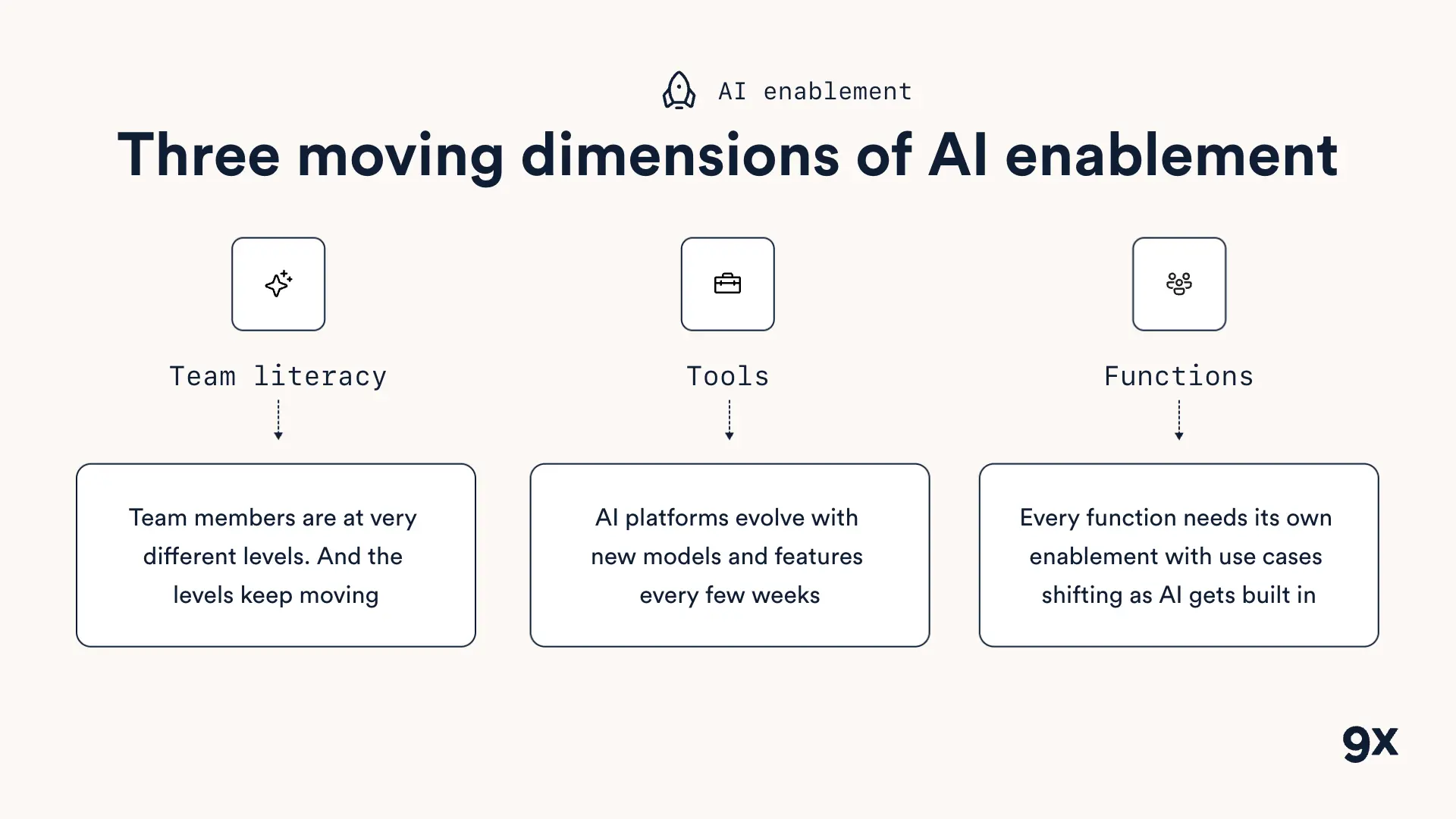
Take a 200-person company with three skill levels, three tools and six functions. That's already dozens of combinations, each with its own content. Now let people change level every quarter, tools ship new features every few weeks, and each function's use cases shift as work gets automated. The map you drew in January is wrong by April.
That's why AI enablement is bigger than any training effort companies have run before. A CRM rollout or a compliance course is a project with an end date. AI enablement is an operating system you have to run.
Before You Decide to Build It Yourself
Running AI enablement internally can absolutely work. But go in with eyes open.
Check whether you have:
Level definitions with observable criteria, and a way to assess people against them
A tracking system that shows every person's level, function and tools, kept up to date
A release-monitoring process for every tool in scope, with a clear owner
A use-case map per function, showing what's built, in progress and next
A content refresh cycle, so outdated material gets flagged and replaced
Dedicated capacity, meaning people whose job this is, not champions doing it on top of theirs
If you can tick all six, you're set up to run it. If you can't, it’s probably time to decide which parts you build and which parts you bring in. If you'd like to map where your team stands today, book a call with us.
FREE LIVE SESSIONS
What’s the best way to learn AI?
With 9x Live! Join a free session and learn the skills that’ll get you ahead of the 99%.
What to do next
1
Start learning free
Take our AI starter course and apply the latest technologies to your first use case. Completely free. Get started today.
2
Learn it live
Join a free weekly 9x Live session, watch work get automated in real time, and get your questions answered by leading educators. Sign up for the next session.
3
Watch our videos on YouTube
With one of the fastest growing channels in the industry, hundreds of thousands of people watch our tutorials every week. Subscribe here so you never miss a video.

Training
"We'll run AI enablement internally."
We hear this often. A director of AI transformation gets hired, a few champions get named in each team, and the plan is to train everyone in-house.
And we get it too. It's the right instinct. Nobody knows your processes better than your own people.
But there's a trap hiding in the plan: AI enablement may look like a training project, it isn't. A classic training tends to have one core curriculum. With AI enablement you're training people at very different levels, across several tools, in functions with completely different use cases — and every one of those three dimensions moves, every month.
We've been running this as our full-time job for a while now.
Here's what you're signing up for if you run it yourself.
Your people are at very different levels. And the levels keep moving
Observe any team today and you'll find the full spread in the same room:
One person has never actually used AI
Another that uses it daily for drafting but has never built a skill
A third is “AI-pilled” and has already quietly automated a dozen tasks on their plate.
A single curriculum can't serve all three. Pitch it at beginners and your advanced people tune out; pitch it at builders and everyone else is lost within the first five minutes.
So you need levels — and that means you need definitions. What exactly separates a Starter from an Operator from a Builder? "Uses AI regularly" is not a definition.
To add up to the difficulty: the levels move. Someone who was a beginner in March might be building skills by June. Someone advanced in January might be behind by summer because they stopped keeping up.
So you need a way to assess people, place them, and reassess them on a schedule. And you’ll need to do this continuously.
You'll need to answer:
What are your levels, and what are the observable criteria for each?
How do you assess someone's level without a two-hour interview?
How often do you reassess, and who does it?
What does each level get offered next?
AI platforms evolve every few weeks
Where we see most companies starting with one platform, it rarely stays that way.
Claude is the main tool this quarter. Then design wants ChatGPT for image generation. Then back office needs a European-hosted option for sensitive data. Then ops starts building workflows in n8n. Before you know it, you're supporting three or four platforms, each with its own interface, features and best practices.
And each of those platforms ships constantly. New models change what's possible. New features change how you should work. Products merge, get renamed, or change their recommended workflow. A training you ran in June on how to work with documents might be wrong by October, because the product now handles documents differently.
In classic training, the content outlives the training. A course on your CRM stays valid for years. In AI enablement, your content has a much shorter shelf life.
That means someone has to monitor every release for every tool you use, decide what matters for which team, update the material, and re-train the people it affects. And this alone is a full-time job.
You'll need to answer:
Which tools are in scope, and for which teams?
Who monitors releases, and how fast do updates reach people?
How do you flag training material that's out of date?
What happens to the curriculum when a tool gets added or dropped?
Every function needs its own enablement
"Here's how to use Claude, here's how to prompt, here's how to build a skill" for the whole company doesn't land. People adopt AI when the training is about their work.
And the work is very different from one team to the next:
Marketing cares about voice, format, and producing on-brand content at volume
Finance cares about not making mistakes: reconciliations that match, numbers that tie out
Sales cares about research, follow-ups, and keeping the CRM clean without losing selling time
HR cares about sensitive data, policies, and consistent communication
Operations cares about processes that run reliably and exceptions that get caught
With the same tool you end up with completely different use cases, risks and definitions of "good." Which means you're not building one program. You're building one per function.
To further spice things up: functions evolve as AI gets built into them. Once a team has automated its weekly reporting, that use case no longer needs training. The next one does. What a team needs to learn depends on what's already been built with AI and what hasn't. So you need a living map, per function, of what's done, what's in progress, and what's next.
You'll need to answer:
What are the priority use cases per function, right now?
Which ones are already automated, and which are still manual?
Who owns the use-case map for each team, and how often is it updated?
How do you share what one team built with teams that could reuse it?
…and everything moves at the same time
Each of these on its own is manageable. The problem is that they multiply, and they all move at once.
Take a 200-person company with three skill levels, three tools and six functions. That's already dozens of combinations, each with its own content. Now let people change level every quarter, tools ship new features every few weeks, and each function's use cases shift as work gets automated. The map you drew in January is wrong by April.
That's why AI enablement is bigger than any training effort companies have run before. A CRM rollout or a compliance course is a project with an end date. AI enablement is an operating system you have to run.
Before You Decide to Build It Yourself
Running AI enablement internally can absolutely work. But go in with eyes open.
Check whether you have:
Level definitions with observable criteria, and a way to assess people against them
A tracking system that shows every person's level, function and tools, kept up to date
A release-monitoring process for every tool in scope, with a clear owner
A use-case map per function, showing what's built, in progress and next
A content refresh cycle, so outdated material gets flagged and replaced
Dedicated capacity, meaning people whose job this is, not champions doing it on top of theirs
If you can tick all six, you're set up to run it. If you can't, it’s probably time to decide which parts you build and which parts you bring in. If you'd like to map where your team stands today, book a call with us.
FREE LIVE SESSIONS
What’s the best way to learn AI?
With 9x Live! Join a free session and learn the skills that’ll get you ahead of the 99%.
What to do next
1
Start learning free
Take our AI starter course and apply the latest technologies to your first use case. Completely free. Get started today.
2
Learn it live
Join a free weekly 9x Live session, watch work get automated in real time, and get your questions answered by leading educators. Sign up for the next session.
3
Watch our videos on YouTube
With one of the fastest growing channels in the industry, hundreds of thousands of people watch our tutorials every week. Subscribe here so you never miss a video.
Training
read next

8 ChatGPT Browser Use Cases That Save Me Hours Every Week
8 ChatGPT browser use cases I run every week, from turning a website into a spreadsheet to auditing a competitor's funnel, with the setup and prompts for each.

The 8 AI Skills That Will Separate Winners From Losers in 2027
The AI skills to learn in 2027 if you work for a company: five for delegating work to an agent, three for building AI for your team, and the tools for each.
read next
8 ChatGPT Browser Use Cases That Save Me Hours Every Week
8 ChatGPT browser use cases I run every week, from turning a website into a spreadsheet to auditing a competitor's funnel, with the setup and prompts for each.
The 8 AI Skills That Will Separate Winners From Losers in 2027
The AI skills to learn in 2027 if you work for a company: five for delegating work to an agent, three for building AI for your team, and the tools for each.
Your new home for learning AI.
Weekly live workshops, on-demand courses, and plug-and-play downloadables. Get started for free today.
Your new home for learning AI.
Weekly live workshops, on-demand courses, and plug-and-play downloadables. Get started for free today.
Your new home for learning AI.
Weekly live workshops, on-demand courses, and plug-and-play downloadables. Get started for free today.